Most platforms in this category distribute a Tiranga Game appas a direct APK download rather than through the Play Store, and that single fact changes the security picture completely. Sideloading skips store review, so the checks normally done for you become your job. This guide explains what an APK actually is, which permissions to refuse, why "hack" and "mod" versions are dangerous rather than clever, and how to try the game with no download at all.
Tiranga Game App and APK: Safe Download Practice
Try It With No Download At All
Before any of the security discussion below, it is worth saying that you do not need to install anything to learn this game. Our free Wingo demo runs in your browser, uses play money and simulated results, and requires no APK, no permissions and no personal details.
If your goal is to understand how the round timer, the colour markets and the payouts behave, the demo does that job completely — with none of the risk this page describes.
No install, no permissions, no risk
The demo runs entirely in your browser on play money. Learn the whole interface before deciding whether any app deserves space on your phone.
Why the Tiranga Game App Is an APK Download
Google Play restricts real-money gaming apps heavily, and in India the policy position around such apps has been restrictive and shifting. Rather than meet those requirements — or because they could not — most colour prediction platforms distribute an APK file directly from their own website.
It is worth being fair here: sideloading is not automatically malicious. Plenty of legitimate software is distributed outside app stores. But the Play Store does perform malware scanning, developer identity verification and policy review, and an APK from a website has had none of that done. You are the review process now.
What Sideloading Actually Risks
| Factor | Play Store | APK from a website |
|---|---|---|
| Malware scanning | Automated review before listing | None |
| Developer identity | Verified account required | Often anonymous |
| Update mechanism | Managed and signed | Manual re-download each time |
| Permission review | Policy enforced | Whatever the app requests |
| Removal if malicious | Can be pulled remotely | Stays until you remove it |
| Recourse | Store policy and reporting | Essentially none |
The right-hand column is not a reason to panic, but it is a reason to be deliberate. The practical risk is concentrated in two places: where you got the file, and what you let it do once installed.
Hacked, Mod and "Prediction" APKs
Hacked versions of these apps are installed in very large numbers, which makes this the most important section on the page.
A modified APK cannotchange a result that is generated on the operator's server. Your phone does not compute the draw and has no access to it. Any file advertised as guaranteeing wins or revealing results early is misrepresenting what it does. What it actually does falls into a short list:
- Fake login overlay. A screen that looks like the real sign-in captures your username and password — and often your UPI credentials too.
- SMS and OTP interception. With read-SMS permission an app can forward the one-time codes that authorise payments and account changes.
- Fake balance display.An inflated number shown locally that does not exist on the server. The goal is to convince you to deposit in order to "unlock" a withdrawal that will never process.
- Accessibility service abuse. Granting accessibility permission lets an app read screen content and simulate taps — effectively full control of the device.
- Background activity. Ad fraud, cryptomining, or enrolling the handset into a botnet.
If you have already installed one: uninstall it, change the password on every account you accessed while it was present, check your UPI and bank transaction history, revoke any permissions it was granted, and consider reporting it at the National Cyber Crime Reporting Portal. If accessibility permission was granted, a factory reset is the safest course.
Permissions to Refuse
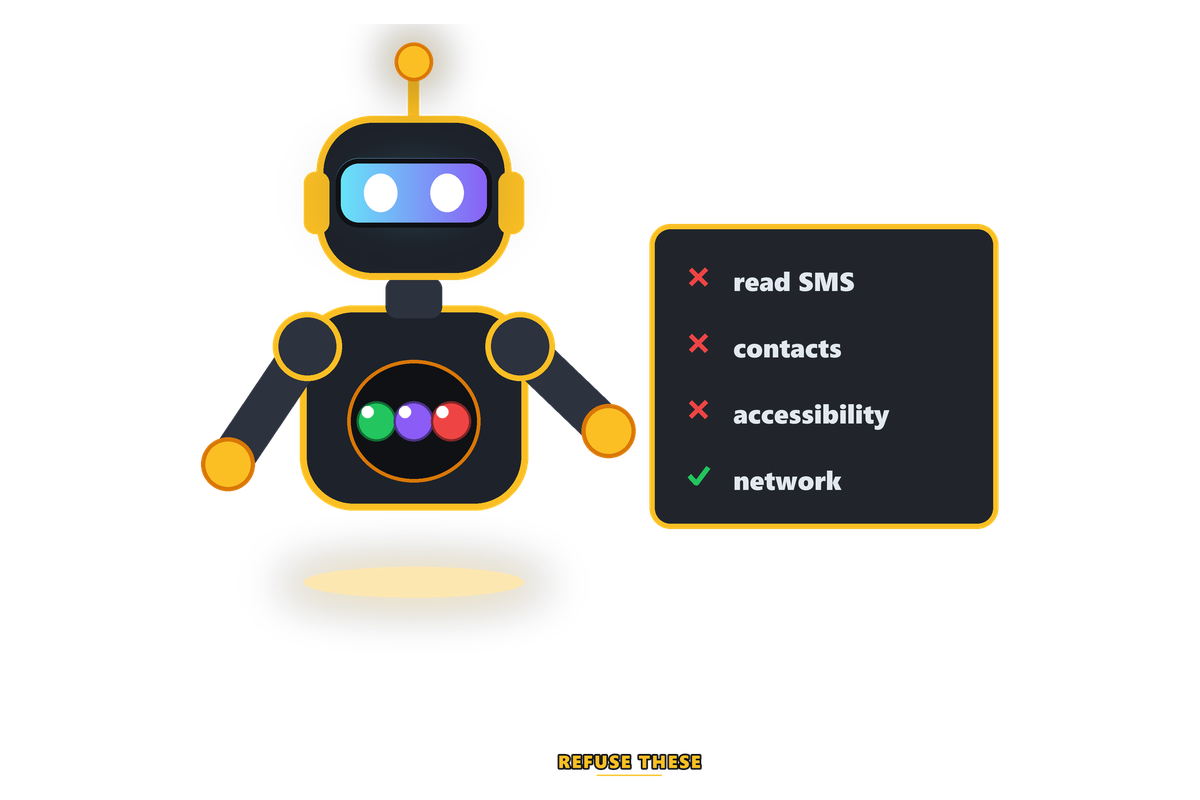
A colour prediction game needs remarkably little access to function. Anything beyond network access deserves a hard look.
| Permission | Legitimate reason? | Recommendation |
|---|---|---|
| Internet / network | Yes — required to play | Allow |
| Storage / photos | Sometimes — uploading ID documents | Allow only at the moment you upload, then revoke |
| Camera | Sometimes — selfie verification | Allow only during verification |
| Read SMS | No | Refuse. This is the OTP interception route |
| Contacts | No | Refuse. Used to harvest referral targets |
| Accessibility service | No | Refuse absolutely. Grants effective device control |
| Install unknown apps | No | Refuse. Lets the app install further packages |
| Device admin | No | Refuse. Makes removal difficult |
Read SMS is the one to watch most closely. Apps often justify it as "auto-reading your OTP for convenience". Modern Android has a dedicated API that fills a single OTP without granting full inbox access, so the broad permission is not necessary for that purpose.
One more detail that is easy to overlook: check what else the file wants to install. Some packages request permission to install further applications, which means a single approval can pull in software you never chose and never see listed. Android surfaces this as "install unknown apps" and it should always be refused for a game. If a download insists on it before it will run, that requirement is the answer — stop there and use the mobile website instead.
Safer Download Practice
If you do decide to install an app in this category:
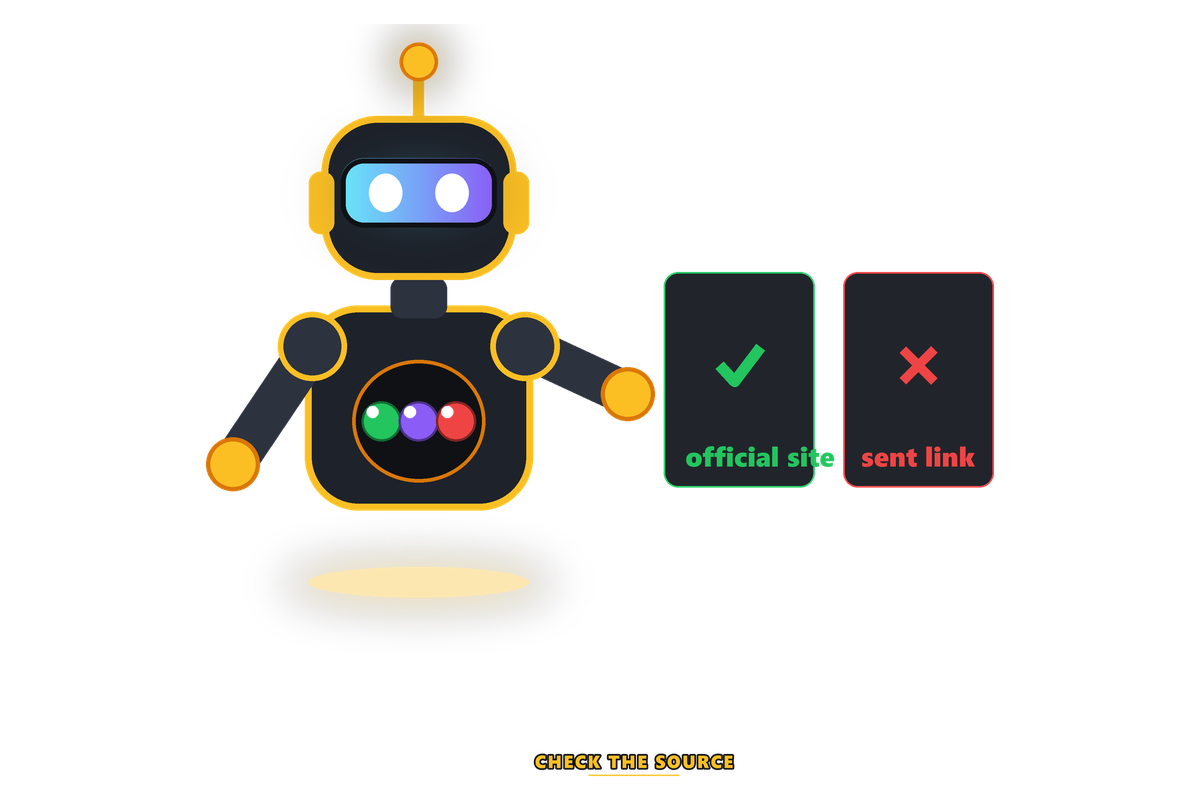
- Download only from the operator's own domain, reached through a bookmark you created — never from a Telegram or WhatsApp link, and never from an aggregator APK site.
- Check the domain spelling character by character. Clone domains with swapped letters are the standard distribution route for modified builds.
- Keep Play Protect enabled. It scans sideloaded packages too, and it catches known-bad files.
- Review permissions at install and afterwards in Settings, and revoke anything you cannot justify.
- Never install a modified, cracked or "prediction" build.
- Consider using the mobile website instead. Most platforms have one, and it grants no device permissions at all.
- Do not install on a phone you use for banking if you have any doubt about the source.
Browser Versus the Tiranga Game App
| Factor | Mobile browser | Installed APK |
|---|---|---|
| Device permissions | None beyond the browser sandbox | Whatever you grant |
| Malware exposure | Very low | Depends entirely on the source |
| Updates | Automatic — always current | Manual re-download |
| Notifications | Limited | Full push access |
| Performance | Good on modern phones | Marginally smoother |
| Removal | Close the tab | Uninstall, and device admin can resist it |
For most players the mobile website is the better trade. The performance difference on a game that draws one digit a minute is negligible, and the security difference is substantial. The main thing you give up is push notifications — which, for a game designed around urgency, is arguably a benefit.
Clone Apps and Lookalike Domains
Beyond modified builds, there is a second category worth knowing about: complete clones. These are not tampered versions of a real app — they are entirely separate applications built to look identical to a known platform.
The business model is straightforward. The clone accepts deposits perfectly, shows a convincing balance, and simply never processes a withdrawal. Because it looks like a platform other people genuinely use, early doubts get dismissed. By the time the pattern is obvious, the domain has moved.
| Check | What to look for |
|---|---|
| Domain spelling | Read it character by character. Swapped letters and extra hyphens are the norm |
| How you found it | A search ad, a Telegram link or a WhatsApp forward is the usual clone route |
| Package name | In Android settings, the app's package ID should match the official one |
| Install source | Downloaded from the operator's own site, or from an aggregator? |
| Support channel | Clones often have only a Telegram handle and no email or company details |
| Withdrawal history | Test with a small withdrawal before depositing anything meaningful |
The defence is the same one that works against phishing: find the site once, from a source you trust, bookmark it, and never navigate there any other way. Search results and forwarded links are precisely where clones position themselves.
Storage, Battery and Everyday Practicalities
Setting security aside for a moment, there are ordinary reasons the browser often works out better on the phones most Indian players actually use:
- Storage. These apps are frequently 60–120 MB and grow with cached assets. On a 32 GB or 64 GB handset that space competes with photos and messaging.
- Battery. An installed app can hold wake locks and run background services. A browser tab stops when you close it.
- Data. Manual APK updates mean re-downloading the whole package each time rather than a store delta update.
- Notifications. Push notifications on a fast-round game are engineered to pull you back in. Not receiving them is a feature, not a limitation.
- Older Android versions. Sideloaded apps targeting older APIs can behave unpredictably on newer builds, and vice versa.
For a game that draws one digit per round, none of the app's advantages are meaningful. The mobile website loads the same interface, updates itself, and can be closed and forgotten.
An App Cannot Improve Your Odds
No application, official or modified, changes the probability of any result. The draw happens on the operator's server and pays at fixed multipliers set below true odds. Any download promising guaranteed wins or early results is either a scam or malware, and usually both.
If play stops feeling like fun, take a break. Our safe play guide covers spending limits, self-exclusion steps and support helplines available in India. You must be 18 or older, and online real-money gaming is restricted or banned in several Indian states — check your local rules first.
Removing a Tiranga Game App Safely
Uninstalling a Tiranga Game app or any similar package is not always the end of it, particularly if it requested unusual permissions. Work through this in order:
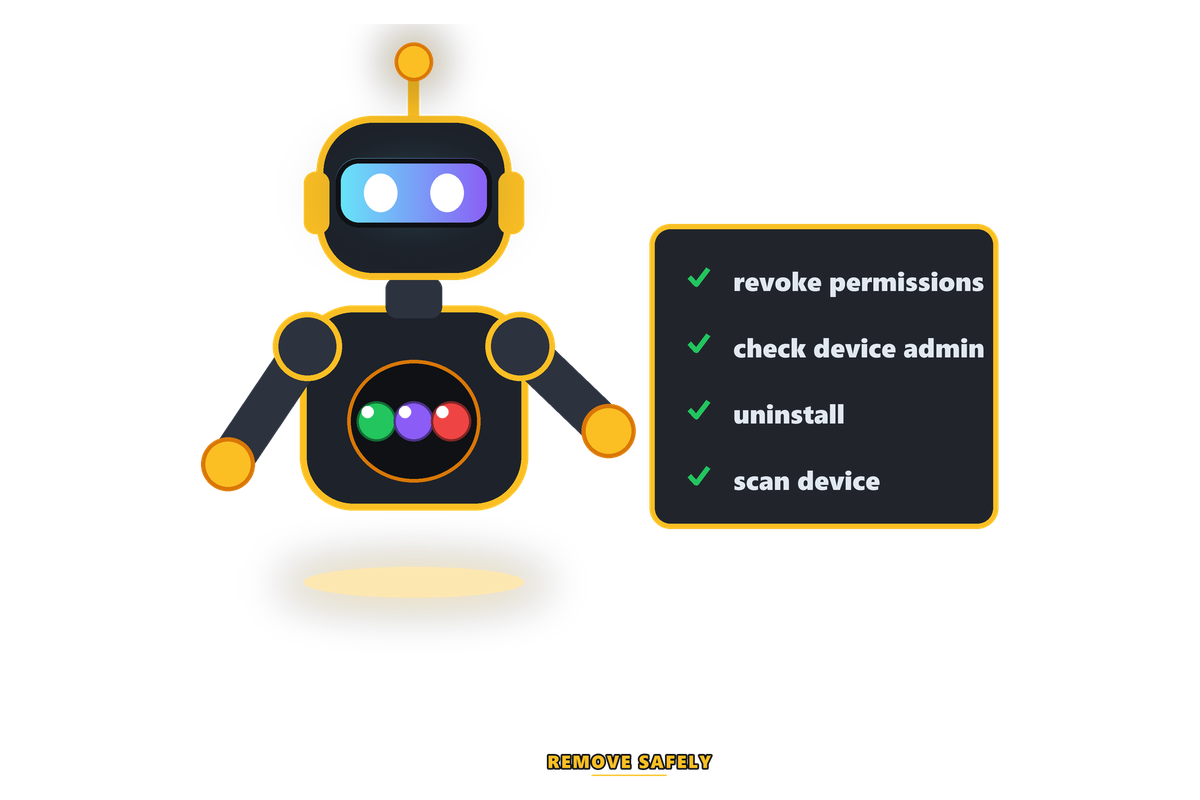
- Revoke permissions first, in Settings → Apps → the app → Permissions. Do this before uninstalling, so nothing runs during removal.
- Check Device admin apps in your security settings and deactivate the app if listed. Device admin can block uninstallation outright.
- Check Accessibility settings and turn off any service the app registered. This is the highest-risk permission on Android.
- Uninstall normally.
- Run a Play Protect scan to check nothing was left behind.
- Change passwords for anything you accessed while the app was installed, especially if it was a sideloaded or modified build.
- Review your UPI transaction history for anything unfamiliar.
If an app resisted uninstallation, requested accessibility permission, or you have any reason to think it was a modified build, back up your photos and documents and factory reset the device. That sounds drastic and is genuinely the safest response — malware with accessibility access can survive ordinary removal attempts.
Updates and Version Drift
A detail specific to sideloaded apps that catches people out: there is no automatic update channel. You are responsible for noticing that a new version exists and fetching it, which creates two distinct problems.
| Problem | How it shows up | How to handle it |
|---|---|---|
| Running an outdated build | Login fails, or features stop working | Fetch the current version from the operator's own domain |
| Update prompts inside the app | A banner links straight to an APK | Verify the domain before downloading anything |
| Fake update notifications | A message or push claiming an urgent update | Never update from a link you were sent |
| Version pushed via Telegram | A file shared in a group chat | Do not install. This is a standard clone route |
| Losing the official source | The domain has changed | Contact support through a channel you already had |
The middle rows are where most compromises originate. An "urgent update" message creates exactly the pressure needed to skip the domain check, and the file it delivers is frequently a modified build. Treat any unsolicited update prompt as a phishing attempt until you have verified it yourself from your own bookmark.
Independent Sources
- National Cyber Crime Reporting Portal — report a malicious app or financial fraud in India.
- Google Play Protect — how Android scans sideloaded packages.
- Android application package — what an APK file actually contains.
Frequently Asked Questions
Do I need to download an app to play Wingo?
No. The free demo on this site runs entirely in your browser with play money and requires no download, no permissions and no personal details. Most real platforms also offer a mobile website, which grants no device permissions at all.
Why is the app distributed as an APK instead of on the Play Store?
Google Play restricts real-money gaming apps heavily, and the policy position in India has been restrictive. Most platforms therefore distribute an APK directly from their own site. That means the file has not been through store malware scanning, developer verification or policy review.
Are hacked or mod Wingo APK files safe?
No. A modified app cannot change a result generated on the operator's server. What these files actually do is run code on your phone — commonly a fake login overlay to capture credentials, SMS permission to intercept OTP codes, or a fake balance display designed to trigger further deposits.
Which app permissions should I refuse?
Refuse read SMS, contacts, accessibility service, install unknown apps and device admin outright. Allow storage and camera only at the moment you upload verification documents, then revoke them. Network access is the only permission the game genuinely needs to run.
Is the mobile browser safer than the app?
Generally yes. The browser grants no device permissions beyond its own sandbox, updates automatically, and can be closed rather than uninstalled. On a game that draws one digit per round, the performance difference is negligible.
Related Guides
- Free Wingo DemoPlay in your browser — no download, no permissions.
- Tiranga Game LoginSign-in steps and how to spot a phishing page.
- Wingo PredictionWhy 'prediction' APKs cannot do what they claim.
- Tiranga Game RegisterSign-up steps and what to check beforehand.
- Deposit and WithdrawalProtecting your payment details and UPI account.
- Responsible GamingLimits, warning signs and support helplines.
Conclusion
The app question comes down to two decisions: where the file came from, and what you let it do. Download only from the operator's own domain via your own bookmark, refuse every permission beyond network access, and never install a modified build — because a modified build cannot affect the result, which means whatever it is doing, it is doing to you rather than for you.
Better still, sidestep the question. Use the mobile website, or start with the free browser demo here, which teaches the same mechanics with no install and no permissions at all. That is the recommendation Tiranga Game makes to anyone still deciding.